Which projects make money — and which quietly don't?
Track milestone payments, expenses and subscriptions in one panel. Stop estimating your monthly profit — see it.
14-day Pro · No credit card · Set up in 2 minutes
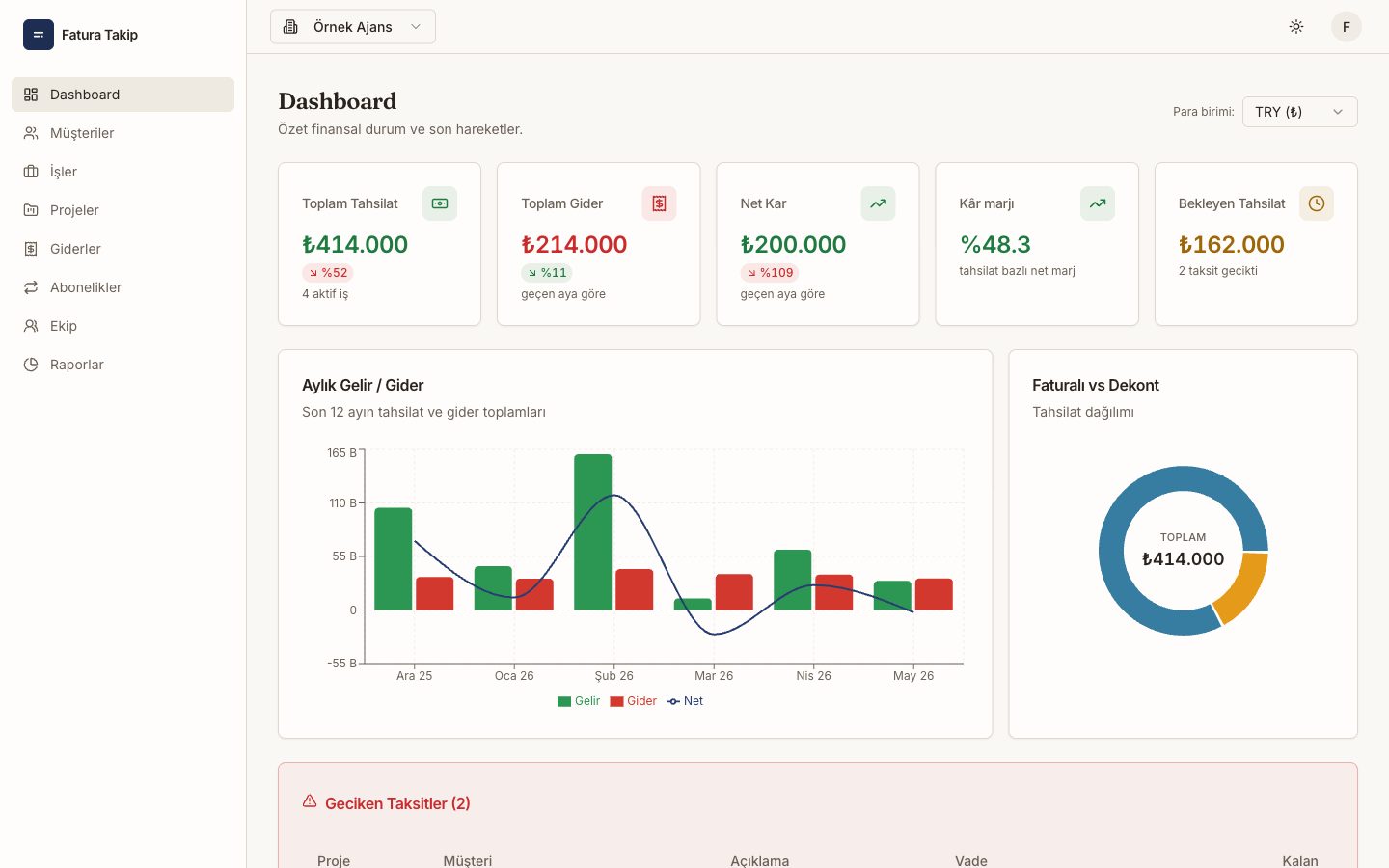 sample data
We don't issue invoices. We track whether they actually got paid.
Keep issuing invoices wherever you do today — your accounting tool, your bookkeeper, your local e-invoicing provider. This panel picks up after that: which milestone landed, which one slipped, and whether the project made money in the end.
- Keep invoiced and bank-transfer collections separate on the same project
- Attach the invoice number to the payment row and upload the receipt PDF
- Export a clean month-end summary for your accountant as CSV
Let the system do the planned-vs-actual math
Every milestone in the plan, every payment in reality. So you never have to reconcile the two by hand.
Client → Engagement → Project, in one model
Single-contract work and multi-project agency work live in the same structure. Pick a billing mode; change it later in one click — payment plans and expenses stay attached.
- One plan per engagement, or a separate plan per project
- Billing mode is reversible — no data loss when you switch
- Expenses and subscriptions attach to the engagement or project automatically
See which milestone landed and which slipped
30% upfront, 70% on delivery. Every slice of the contract with its date, amount and status in one list.
Invoiced and non-invoiced payments never blur together
Tracked separately at both plan and payment level, so a bank transfer doesn't skew your invoiced revenue.
Record a payment, the plan updates itself
Plan rows move from pending → partial → paid on their own. No manual ticking.
Stop estimating monthly profit — see it
Revenue, expenses and net profit in one chart, with an FX-normalised consolidated view.
Don't let renewals quietly eat your margin
OpenAI, AWS, Figma — flat or usage-based. Warned 7 days ahead, booked as an expense automatically.
USD project, TRY costs — one report
TRY, USD, EUR, GBP with dated FX rates and a normalised consolidated view at report level.
Set up in three steps
No accounting background needed. Enter the contract, log payments, watch the report.
Add the client and the engagement
Create the client, then an engagement underneath. One contract or many projects — you choose the billing mode.
Build the payment plan
Enter milestones with their dates. Mark each as invoiced or not; the generator drafts typical splits for you.
Log payments, let the panel report
Record the actual payment — the plan row updates itself and profit/collection reports refresh instantly.
Hand your bookkeeper a file, not an email thread
Export the month-end summary in one file. Collections, expenses, invoice numbers and payment types are already separated — no follow-up questions needed.
- Printable monthly and yearly summaries — one page each
- CSV export: collections, expenses and plans as separate files
- Read-only role: add your bookkeeper to the workspace without write access
- Document upload: keep the invoice PDF next to the payment record
Who it's built for
General accounting software tries to serve everyone. This panel is shaped around how agencies and freelancers actually get paid.
Software agencies
Many clients, many projects. See exactly which engagement earns and which leaks.
Boutique studios
Contract, milestones and costs in one place for a small design-and-build team.
Freelance developers
Track split payments across several clients without losing the invoiced-vs-transfer distinction.
Solo consultants
Fewer but steadier engagements. Never miss a subscription renewal or a late milestone.
Leaving the spreadsheet is easy
Invoicing tools don't see the contract, and spreadsheets stop scaling the moment you add a third client. Every screen here is built around project-based work.
- Contract value and milestone plan in one model — always consistent
- Invoiced and non-invoiced payments coexist on the same project
- Subscription costs are booked automatically, no manual tracking
- Document upload, client portal and multi-user workspaces included
Why this panel exists
We run a software team ourselves. We got tired of chasing split payments, bank receipts and subscription costs in spreadsheets, and wanted the system to do the planned-vs-actual comparison. That's the whole reason this exists — built from scratch around agency and freelance cash flow, not around general-purpose bookkeeping.
Find out which project made money this month.
Create an account, move your projects over, use every Pro feature during the trial. If it's not for you, your data stays on the Free plan — nothing gets deleted.
14-day Pro · No credit card · Cancel anytime